
We do a lot with images in the digital era, we share them on social media, print them as professional-grade images and create graphics for all sorts of projects. You will need professional quality photos to use for personal as well as on there career purposes. There are two words that are commonly tossed around in discussions about image quality, and those are DPI (dots per inch) and PPI (pixels per inch). Here’s the simple explanation:
- DPI stands for dots per inch. It represents the number of ink dots deposited in a print. The higher the DPI, the higher the quality of the print.
- PPI means pixels per inch. It’s a number of pixels in digital imaging. The more PPI, the sharper your displays will look.
So DPI and PPI factor into how images appear when they are printed or (as with this article) are displayed on a screen. You’ll need to understand these terms in order to choose the best resolution for you.
So, beyond their literal meaning, do those words even matter? Let’s dig in and find out what makes them so important
DPI and PPI in image resolution
You need a high DPI for big print sizes and even print sizes viewed at reading distance. Covariance Higher DPI reduces the amount of pixelation an image will show, which is important when printing a full size image. When an image quality is important (as in advertising and publishing), being aware of and printing at the correct DPI can make all the difference in the final product.
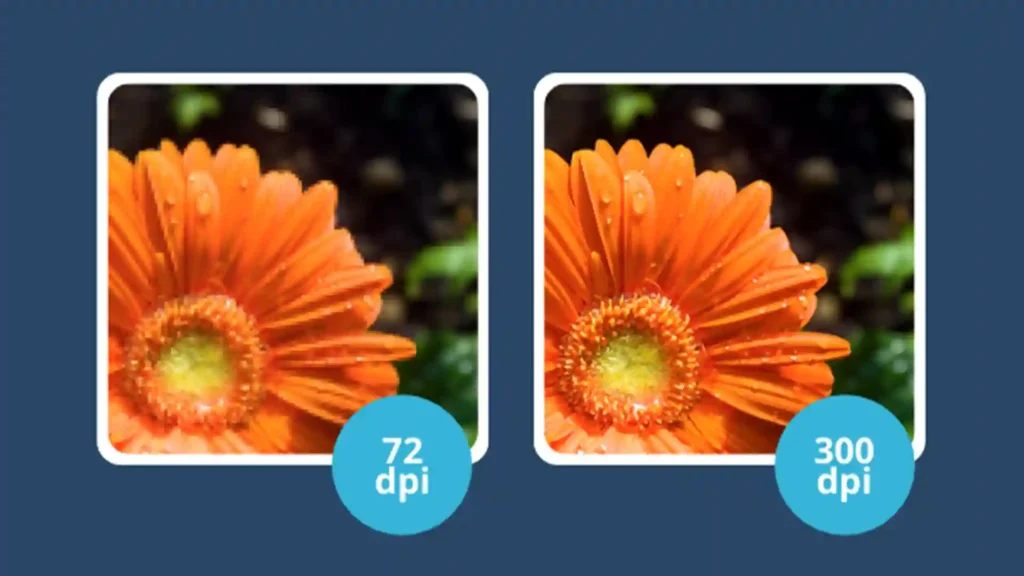
On the other hand, PPI, or simply “pixels per inch,” is the resolution of a digital image. It tells you how many pixels are packed into one inch of a digital display. The higher the PPI, the more pixels, and the sharper or more detailed the image. PPI matters when it comes to images on screens (for example, monitors, phones, and tablets).
In digital media, sharpness of image is measured by the number of pixels per inch (PPI). High PPI ensures your images are crisp and full of color, this is crucial for web design and digital marketing.
With displays that have only grown in resolution and capability, the PPI figure becomes more and more crucial to be aware of so that you can insure the digital images that you have display in an appropriate size no matter where or what they get viewed on.
Key Differences Between DPI and PPI: What Every Designer Should Know
It’s easy to get confused between DPI and PPI cause they sound similar, but they play very different roles in image quality. DPI (dots per inch) affects printed images, while PPI (pixels per inch) impacts digital screens. Understanding this distinction is crucial for photographers, graphic designers, marketers, and anyone working with images.
Here’s the deal: the resolution you choose changes how your image looks depending on where it’s displayed.
PPI determines how crisp and detailed an image appears on a screen, whether it’s a smartphone, tablet, or monitor. On the flip side, DPI dictates the clarity of printed images, from posters to business cards.
Ignoring the difference can cost you image quality. A low DPI on a large print can make your photos look blurry or pixelated, while a low PPI can leave your digital images looking fuzzy on high-resolution displays.
Imagine this scenario: you have a stunning digital image at 300 PPI. On your screen, it looks flawless. But if you print it at 72 DPI, it might appear blurry or pixelated. Why? Because your printer can’t reproduce the same detail as your display.
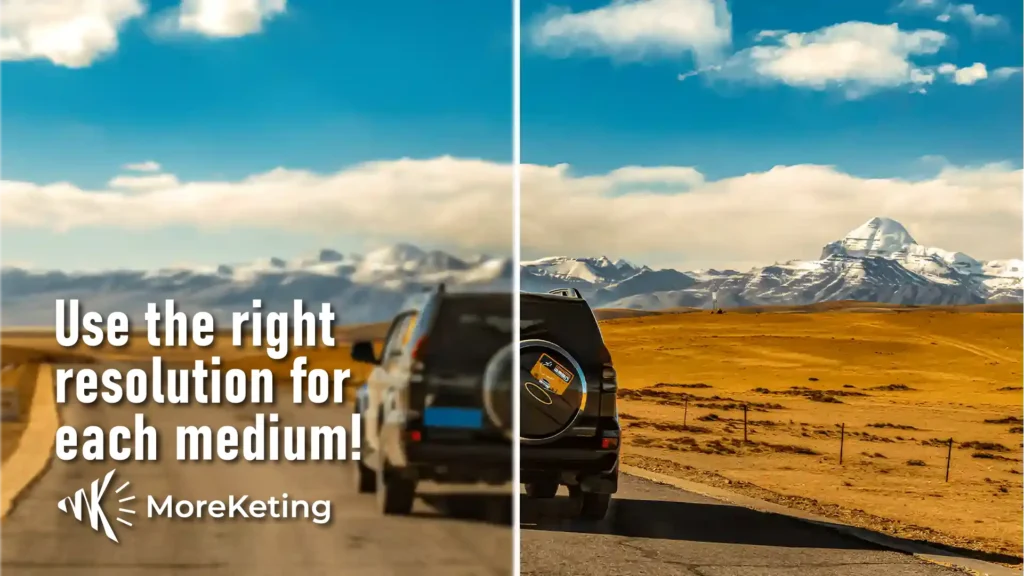
This is why matching the right resolution to the right medium is critical. For designers and photographers, knowing when to prioritize DPI or PPI can make or break a project.
What is 300 DPI?
“300 DPI” is a household expression in printing. It is frequently utilized for quality prints because it has a good combination of detail and size. It’s worth remembering that DPI is not important unless you are printing. A digital image has PPI not DPI.
The 300 DPI standard is based on how finely we see detail with our eyes. At normal viewing distances 300 dots per inch makes images appear smooth and clear. For some special use such as professional photos or fine art, you may need a higher DPI for better quality. This indicates that the DPI setting is situational.
What people normally call a “300 DPI” image is, in fact, a 300 PPI image. This is the resolution of the image, not of how it is to be printed. For example, if you’re making a digital image that will be printed at high quality, you would make sure the image is 300 pixels per inch (PPI) to match the 300 dots per inch (DPI) printing standard.
The idea of 300 PPI is important when you “prepare” a digital photo for print by getting it large enough that the printer has everything it needs to be as sharp as possible: on the face of it, a density of 300 small squares (dots or pixels) per inch. This piece of knowledge helps to avoid the most common mistakes made by a colossal number of graphic and web designers, illustrators and photographers: when something looks good on a monitor, it does not necessarily look good in print.
Digital Image Resolution for Social Media
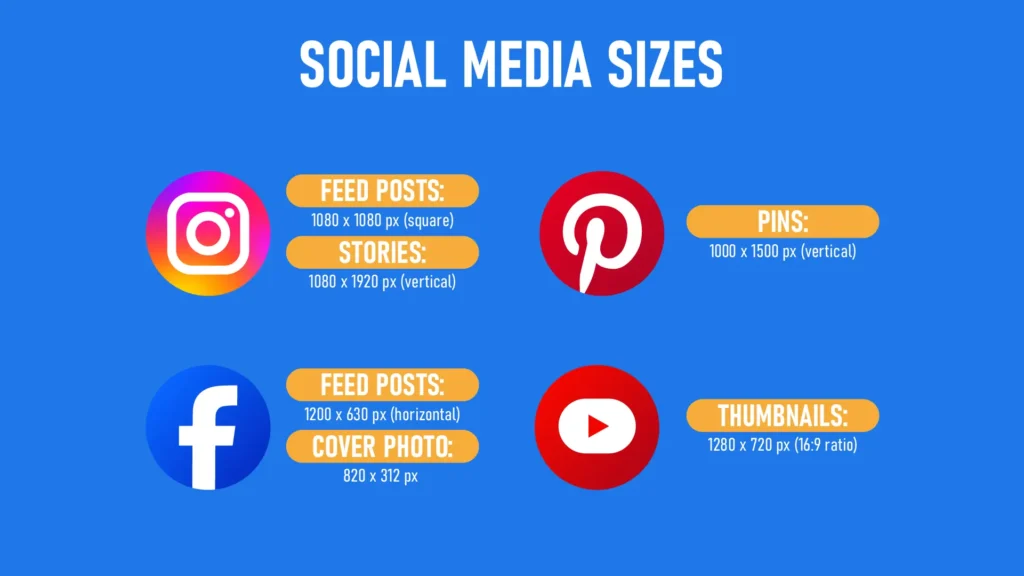
On digital screens, PPI (pixels per inch) is key to making your visuals pop. Higher PPI means more pixels per inch, resulting in sharper, more detailed, and vibrant images. For content creators, optimizing images for social media is crucial, blurry or pixelated visuals can hurt engagement and brand perception. According to Adobe, understanding and optimizing image resolution is essential for ensuring visuals look crisp across devices.
Each platform has its ideal image dimensions:
Instagram:
- Feed posts: 1080 x 1080 px (square)
- Stories: 1080 x 1920 px (vertical)
Facebook:
- Feed posts: 1200 x 630 px (horizontal)
- Cover photo: 820 x 312 px
Pinterest:
- Pins: 1000 x 1500 px (vertical)
YouTube:
- Thumbnails: 1280 x 720 px (16:9 ratio)
Optimizing for these dimensions ensures your images display beautifully across devices, from smartphones to 4K monitors. As high-PPI screens become more common, tailoring your visuals to each platform isn’t optional, it’s essential for engagement and retention
Keep in mind: higher PPI (and DPI for printed material) can increase file sizes. Large files can slow down websites or take up excessive storage space.
Finding the right balance between image clarity and file size is key for efficient digital content management. Optimized PPI lets you deliver high-quality, visually striking images without compromising performance, making it perfect for designers, marketers, and digital professionals alike.
FAQ’s
Yep, 300 DPI is the sweet spot for crisp prints that don’t get too big. At regular screen distances, 300 DPI gives you clear, smooth pictures. for stuff like photos or art prints, you might go for a higher DPI to get that extra sharp look.
PPI is like the sharpness of your screen, it’s all about how many pixels are packed in a square inch. A pic at 72 PPI seems okay on a screen, but gets all fuzzy if you print it at 300 DPI make sure your PPI settings are on point with your printing DPI to keep the print quality top-notch.
For images on big screens, like those on new monitors or TVs, you should go for a PPI of 200-300 to keep them looking sharp and clear.
It depends:
– When it comes to digital screens, the PPI is key because it’s all about how clear and sharp the image looks on your screen.
– When it comes to printing, the DPI (dots per inch) is key, because it’s all about how sharp and clear the printed pic looks.
Yes. higher DPI or PPI means bigger image files, which can be a pain for storage, slow loading, and sharing. Keep the resolution and file size in check for smooth performance without losing the image’s look and feel.